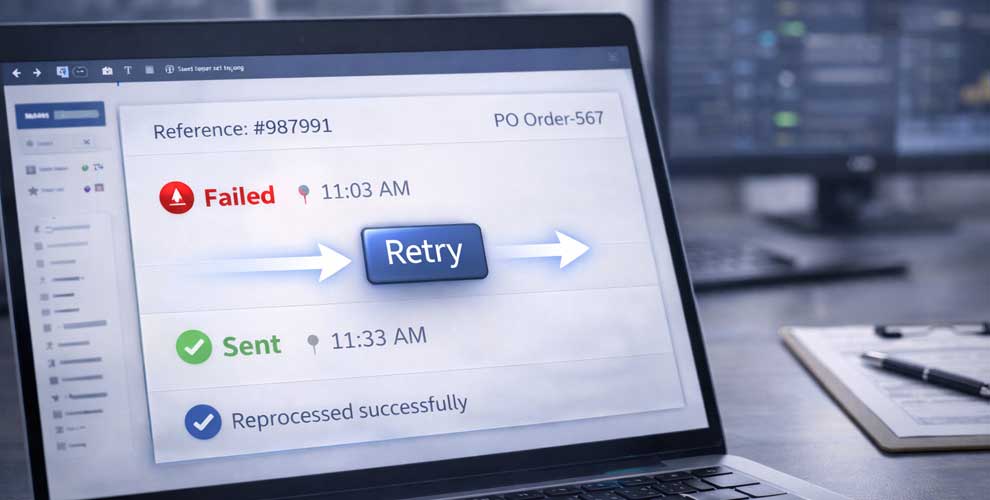
Reprocess failed documents in seconds — without losing control or traceability.
Even the best automated flows hit occasional issues: a temporary partner outage, a timeout, a rejected message, or a downstream system hiccup. Manual Retry gives you a safe, controlled way to reprocess documents once the issue is resolved — no manual resends, no messy workarounds.
The problem it solves
When retries aren’t managed, teams end up taking shortcuts:
-
re-sending files manually and losing the audit trail
-
duplicating documents by mistake
-
waiting for technical staff to intervene
-
not knowing whether a partner actually received the original
-
delays that cascade into fulfilment, invoicing and customer service
Manual Retry keeps recovery quick, accountable and repeatable.
What Manual Retry does
Controlled retries for failed documents
Retry documents that failed due to temporary issues such as:
-
connection timeouts
-
partner endpoint downtime
-
transient validation failures after a fix
-
internal queue or processing interruptions
Prevent duplicate confusion
Retry actions are linked to the original document trail so teams can see what was attempted, what succeeded, and what still needs attention.
Improve operational responsiveness
Ops and support teams can resolve common incidents without needing developer intervention for every failure.
Keep a clean audit trail
Every retry is logged with timestamps and outcomes, supporting governance and partner communication.
How it works
1) A document fails
A send/receive fails or a partner rejects a document.
2) Review the reason
See the failure cause, partner context and document references.
3) Fix the underlying issue
For example: restore connectivity, correct data, update a mapping, or wait for a partner service to recover.
4) Retry safely
Trigger a manual retry from the platform and track the result.
5) Confirm success and move on
Once processed, the status updates and the document continues through the flow.
Key benefits
-
Faster incident recovery: reprocess without delays
-
Less manual work: avoid resending files outside the platform
-
Lower risk: reduce accidental duplicates and inconsistent states
-
Better accountability: every retry is tracked
-
Improved partner support: clear history of attempts and outcomes
Best-fit use cases
-
Temporary trading partner outages or timeouts
-
Documents rejected due to correctable validation issues
-
Busy operational teams needing fast recovery tools
-
High-volume flows where failures must be cleared quickly
-
Environments where traceability and control are important
FAQ
Is Manual Retry the same as automatic retry?
No — automatic retry handles transient issues without human intervention. Manual Retry is for cases where a human needs to confirm the issue is resolved and then reprocess safely.
Will retrying create duplicates?
Manual Retry is designed to reduce duplicate risk by keeping retries linked to the original document trail and status history.
Can we retry after correcting data?
Yes — Manual Retry works well alongside Data Correction and error handling, allowing you to reprocess once the underlying issue is fixed.
Who should have access to retry documents?
Typically operations or support teams. In multi-user environments, permissions can restrict who can initiate retries.
Author
Ryan Howard
Ryan Howard writes XEDI resources covering EDI, trading partner connectivity, document automation and supply-chain integration.


Need any further assitance?
Feel free to reach out for any inquiries or assistance.
Book an appointment nowRELATED NEWS
More articles to explore
Selected updates relevant to this topic—focused on deployments, partnerships, and platform progress.
- Recent deployments & roll-outs
- Regional partner updates
- Platform updates & announcements